Read the board before circling the letters
A Word Connect puzzle gives you two useful sources of information: the letters on the wheel and the shapes of the answers on the board. Looking only at the wheel can leave you repeating the same combinations. Looking at the crossword tells you how long the missing word is and, after a few correct answers, which letters it must contain.
In our Word Connect game, you can take your time. There is no countdown or penalty for an incorrect attempt. Start with a word you recognize, let it fill the board, then check what that answer reveals at an intersection. This simple rhythm is often more useful than trying to discover every word before submitting anything.
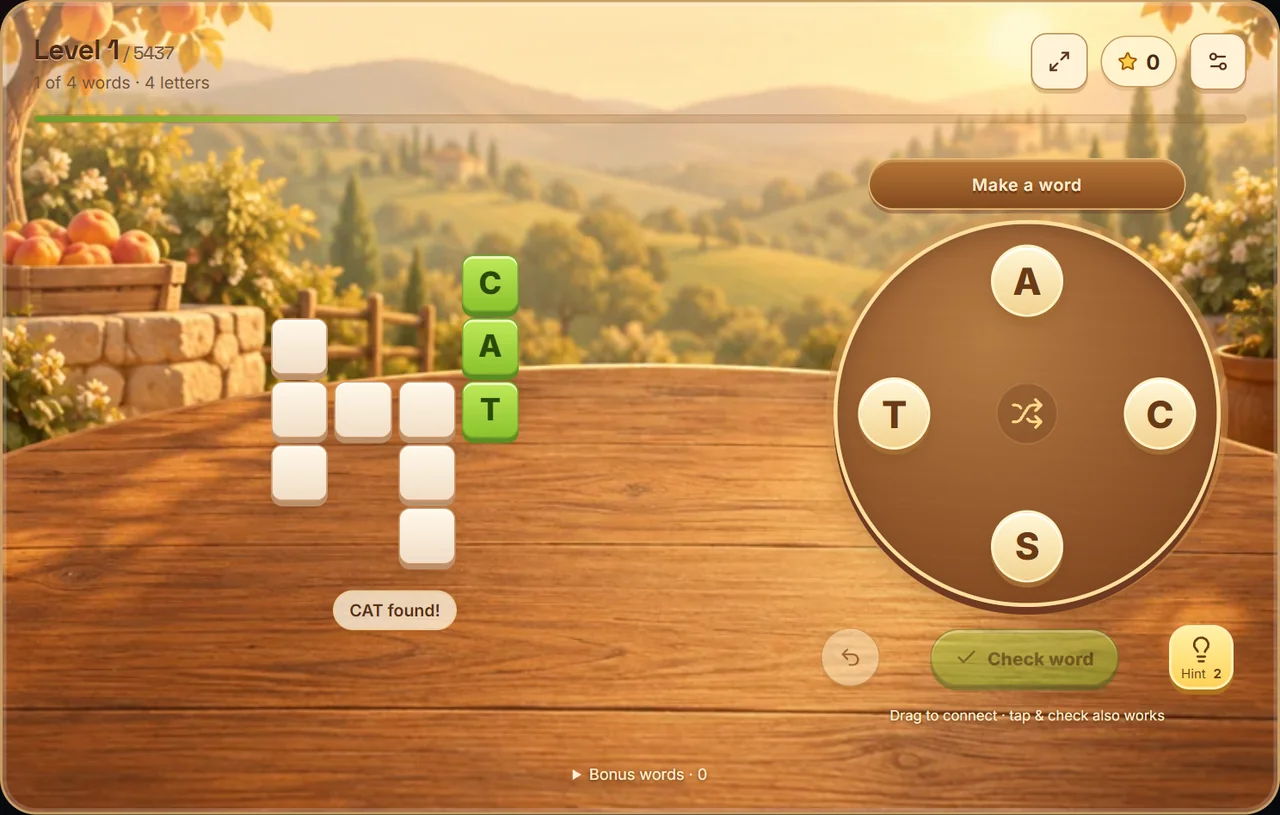
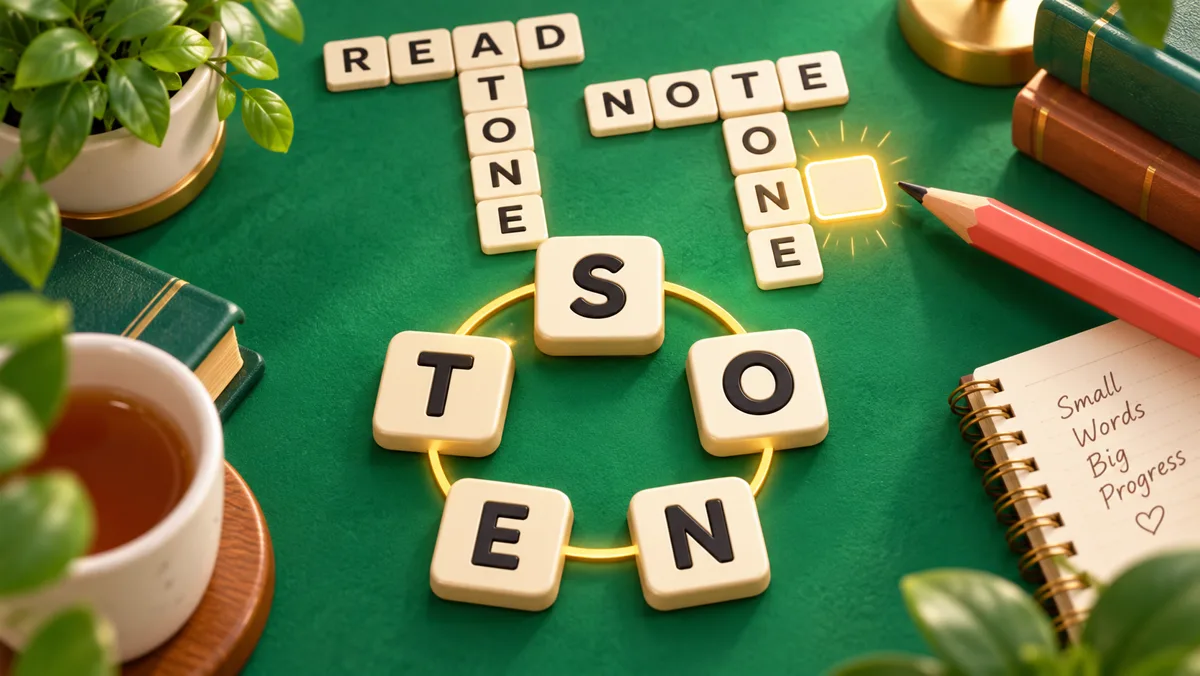
Actual gameplay: solving CAT reveals the T at an intersection, giving you a starting point for another answer.
How many levels are available?
The current game includes 5,437 English levels, 5,002 French levels and 926 Arabic levels. Wheels use three to seven letters. These totals count playable levels, not unique words: the same answer can appear in more than one puzzle. Each language has its own saved progress, and later packs load as you reach them.
Try a small family of anagrams
Suppose the wheel shows C, A, T and S. You might immediately see CAT. Rearrange those same three letters and you have ACT. Add the S in a different position and you can make CAST. SAT uses three of the four tiles. The wheel has not changed, but each new arrangement gives you another possibility.
The useful habit is to treat one word as a starting point rather than the end of the search. After submitting CAT, deliberately try a different opening letter. After a longer word, look for shorter words inside its letters. You do not have to follow the order the tiles happen to occupy around the circle.
| Wheel | A short starting point | Other possibilities |
|---|---|---|
| C A T S | CAT | ACT, SAT, CAST |
| E A S T | EAT | ATE, TEA, SEA, SEAT |
| T E A M | TEA | EAT, MATE, MEAT, TEAM |
| N O T E | TEN | NET, ONE, TONE, NOTE |
These examples show how to think about the letters. A particular board may require only some of the possible words, and a curated game dictionary may recognize additional words as bonuses. Do not assume that every possible anagram must appear in the crossword.
Count repeated tiles, not just different letters
A wheel can contain the same letter more than once. Each copy is a separate tile. On a wheel spelling LETTER, TREE is possible because you have two Es, one T and one R. You cannot make a word needing three Es from that wheel.
This distinction matters when you almost recognize a longer answer. Before spending time on a guess, count how many times each letter is needed. If you type on a keyboard, our game selects an unused matching tile for each letter. With touch controls, you need to connect the separate copies yourself. Dragging back to the preceding tile undoes the last step; it does not add a second copy of that letter.
Use crossings to narrow the last answer
A solved word fills its crossword cells, including shared intersections. Suppose a four-letter answer now begins with S and the wheel contains E, A, S and T. SEAT is a candidate worth testing. If the revealed S is in another position, the same candidate may no longer fit.
Read the pattern in its actual direction. A vertical answer can be easy to overlook when most of your attention is on the horizontal rows. Follow the empty cells from one end to the other, count the spaces, and compare the visible letters with the word you are considering.
A revealed letter is useful even if it came from a hint. It does not mean the whole word is complete. You still need to connect the answer on the wheel so the game can mark it as found.
Shuffle without throwing away progress
The Shuffle button moves the tiles to new positions and keeps the same letters. Your solved words stay on the board. This can help when you repeatedly see one familiar arrangement and miss other combinations.
After shuffling, choose a different letter as your starting point. Look for common two-letter beginnings or endings in your mind, then add another letter to make a word of at least three letters. Shuffle is a visual aid, not a way to generate a different puzzle or replace a difficult answer.
You can also clear your current selection. An unfinished string does not need to be submitted just because you started drawing it. Undo removes the last letter. Shuffle clears the selection while rearranging the wheel, and Escape clears it on a keyboard without affecting the board.
When to use a hint
Try the visible crossings and a shuffle first if you want to solve the level without help. If the last answer still refuses to come to mind, a letter hint can give you a new starting point. Our version provides two free letter hints per level; they do not require a purchase or an advertisement.
Each hint reveals a hidden cell. Sometimes that cell belongs to two crossing words, so it can help with both. Once you see the letter, reread the whole pattern instead of immediately guessing at random. The goal is to turn the new information into a plausible word.
Hints are stored with the level's progress. Leaving the page and returning does not silently give you a fresh allowance. Restarting a level clears its board, bonus words and hints after confirmation.
Understand the bonus-word list
You may form a word that is accepted but does not fill any crossword cells. That is a bonus word: it is recognized by the game's word list but is not one of the targets selected for this board. Open the bonus section to review what you have found.
Bonus words do not replace missing targets. Finding five extra words will not finish a board with one required answer still hidden. A repeated bonus is counted once, so submitting it again does not increase the total.
Our dictionary is curated rather than exhaustive. Some proper names, uncommon terms or inflected forms may not be included. If a guess is rejected, check the available tiles first, then consider whether it could fall outside the game's vocabulary. You can move on without losing progress or a life.
Choose the input that feels comfortable
On a phone, drag through letter tiles and release to check the word. If tracing a line is uncomfortable, tap each tile in order and use Check word instead. Both methods work with the same answers.
On a computer, you can use the mouse or type directly. Enter submits, Backspace undoes the last letter, and Escape clears the selection. The on-screen buttons also support keyboard focus. There is no need to type into a separate text box before every attempt.
The game saves each level on the current device when browser storage is available. Finish the current level to unlock the next one. Settings show your progress, and you can leave and resume your current puzzle later. There is no account sync, so opening another phone does not bring the same progress with you.
Ready to try the routine? Play Word Connect, find one short answer and use its crossing letters to guide the next. For a different kind of word puzzle, try Hangman or Word Search.